In April 2022 I finished building a second way to write logic in Peakboard. We called it Visual Coding at the start and renamed it to Building Blocks later. Instead of typing Lua code into the script editor, you snap graphical blocks together and the editor writes the code for you.
Peakboard scripting runs on Lua. Lua works fine for the runtime, but it is a bad match for the people who build the boards. A production planner knows the process and the machine and has no interest in learning where a Lua string index starts. So we needed a second way to write logic, with the same script engine and the same events, but without syntax.
The screenshot below shows the block mode with an example that sends an e-mail when a button is tapped.
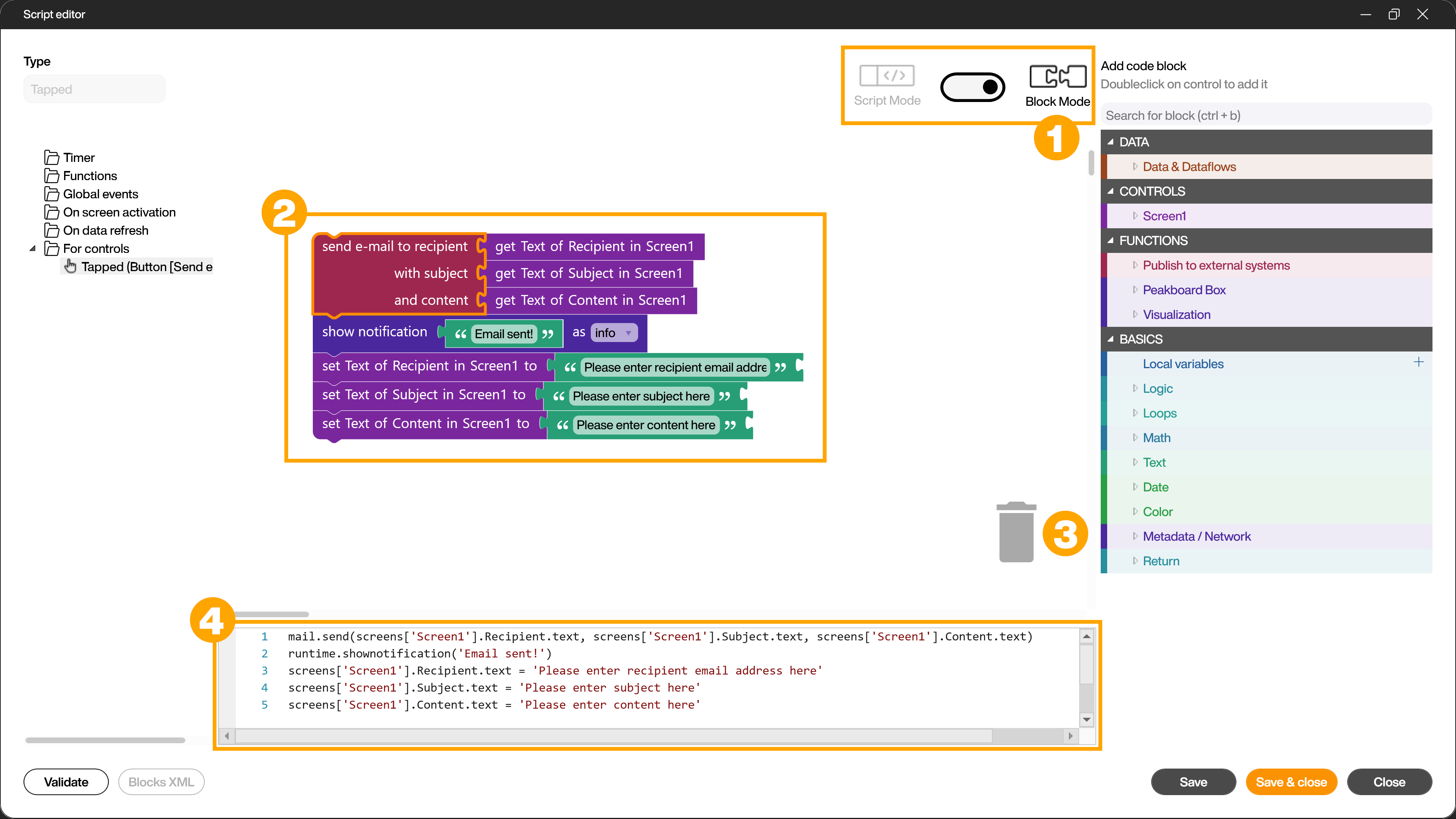
The four important areas are the mode switch (1), the canvas (2) with the blocks executed from top to bottom, the trash can (3) and the generated Lua code (4). The code pane is read only and will be updated while you build. The palette on the right contains the block families, grouped into DATA, CONTROLS, FUNCTIONS and BASICS.
The code pane is the part of the design I like most. You always see the Lua code that your blocks produce, so the editor is also a nice way to learn the scripting model.
Important: the switch from block mode to script mode is one way. Once a script is text, it stays text. Parsing arbitrary Lua code back into a block tree turns every formatting detail into a special case, so we did not build it.
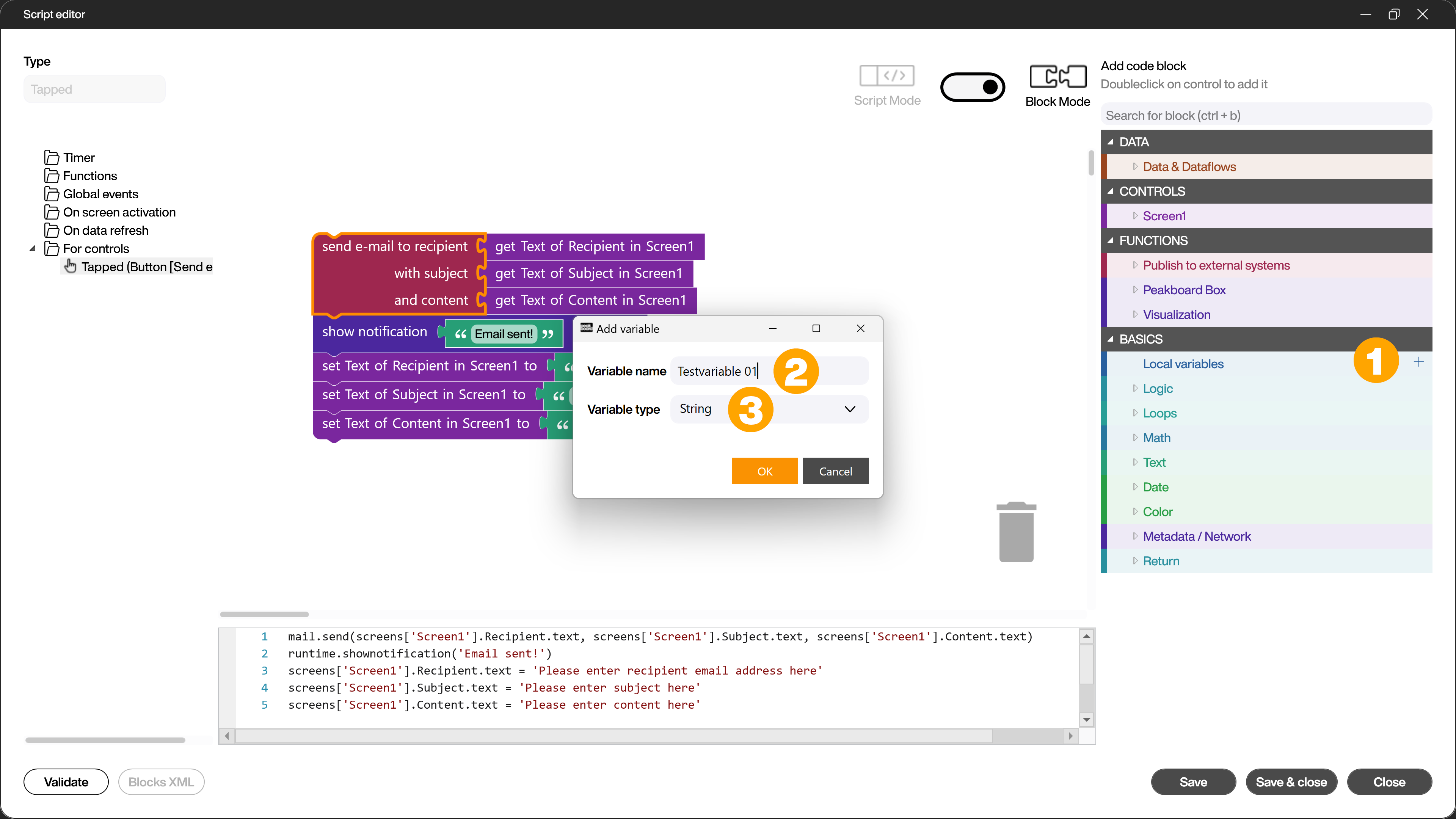
Real scripts need variables. A local variable gets a name and an explicit type. The type is an editor concept, not a Lua concept. Because the editor knows that a variable is a String and not a List, it can refuse a combination that would fail at runtime. The next screenshot shows how to add a local variable.
The generic blocks for logic, loops, math, text, date and color are the easy part. More important are the block families that wrap our own data layer, e.g. SQL, MQTT, Azure, Hub lists, dataflows, timers and custom functions.
That’s it.
If you have questions feel free to contact me.
Links:
Building blocks documentation →
Script editor documentation →
Peakboard Designer →