How a service is built
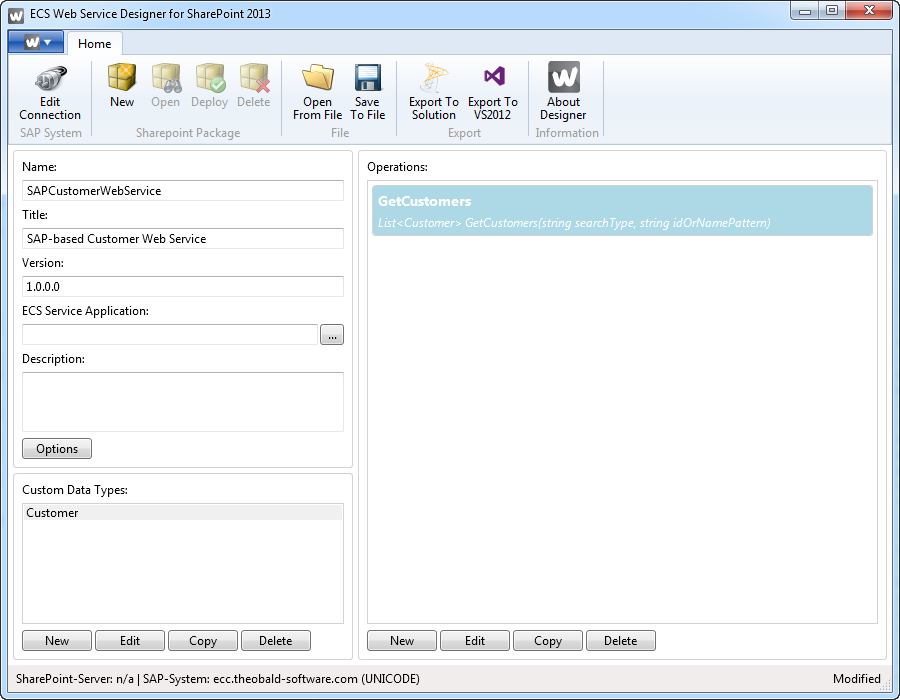
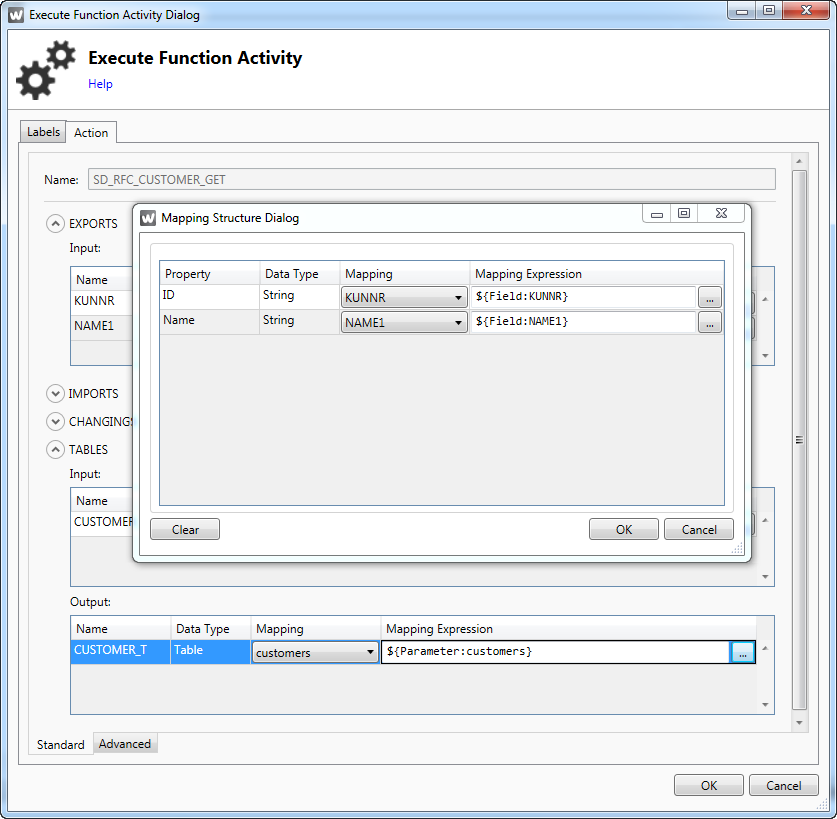
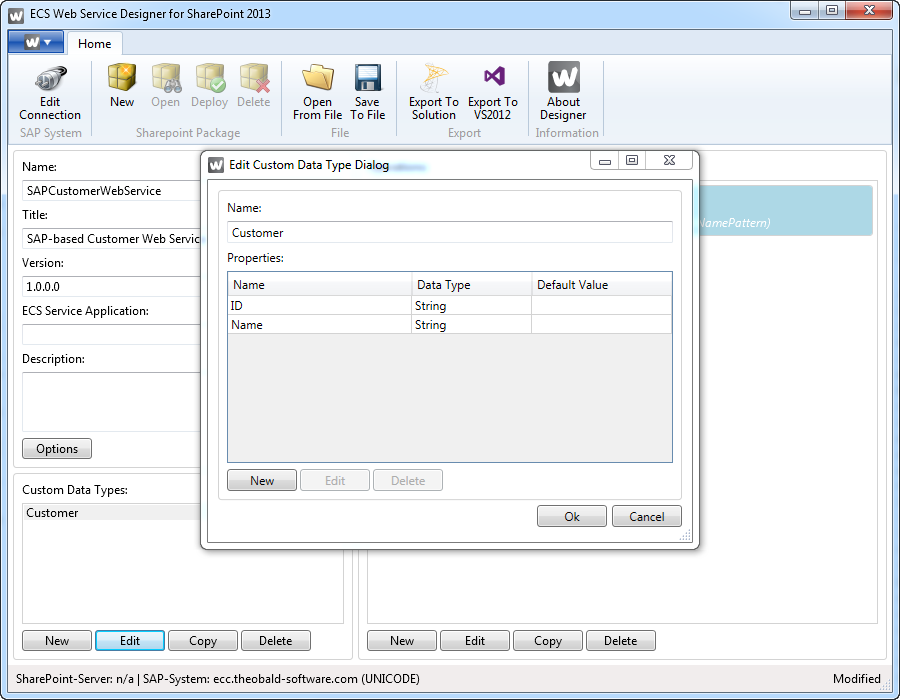
A designer project file holds the definition of one service with any number of operations. Each operation has input and output parameters. SOAP services allow several output parameters, OData services are more restricted. A parameter is either a primitive type or a custom data type (CDT). A CDT is defined once per service and reused across operations.
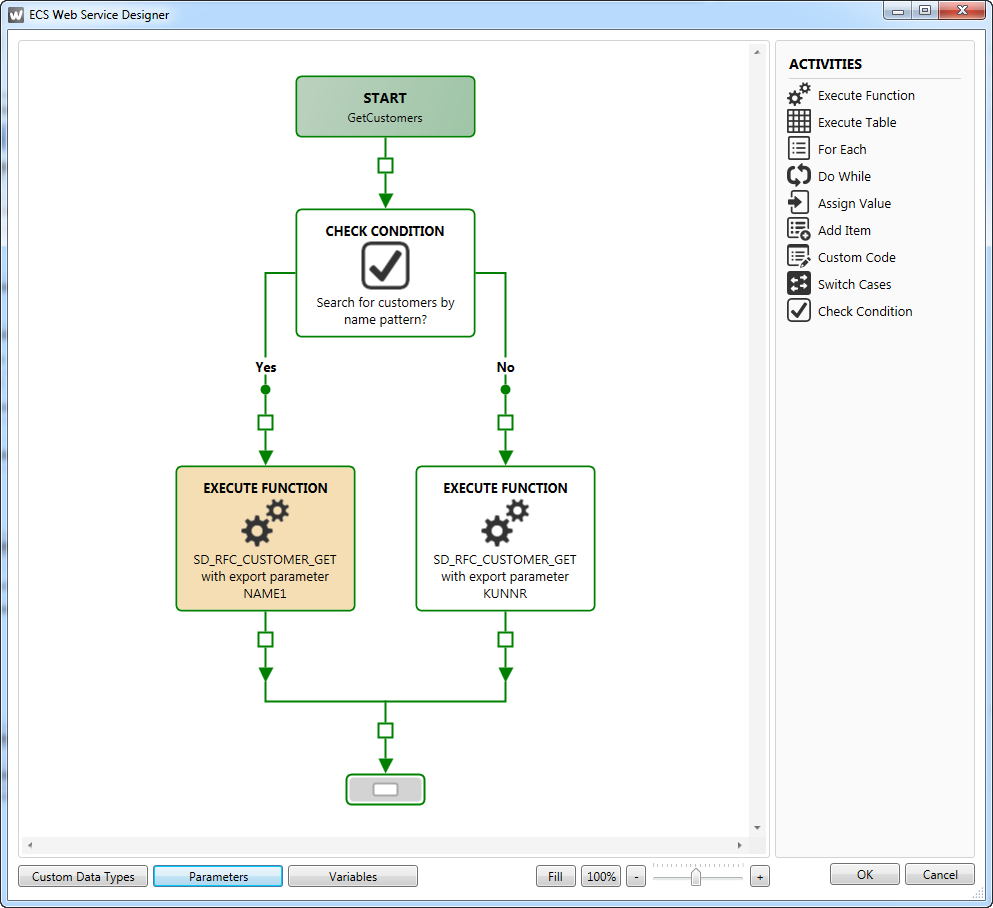
Every operation gets a workflow. The designer offers base, flow and SAP activities to build the logic of the operation.
Activities
Base and flow activities:
- Check Condition Activity (IfElse)
- Switch Cases Activity
- For Each Activity
- Do While Activity
- Custom Code Activity
- Assign Value Activity
- Add Item (to collection) Activity
SAP activities:
- Execute Table Activity (reads data from an SAP table)
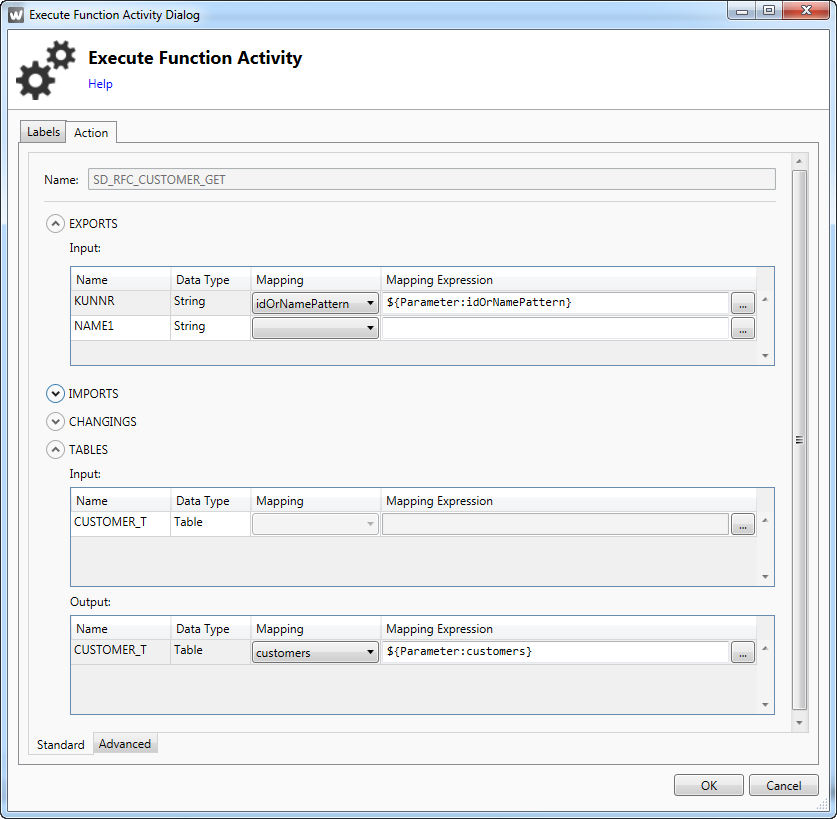
- Execute Function (execute an SAP BAPI function module)
Mappings and deployment
The data mappings describe how the SAP data objects turn into the primitive or custom data types. C# expressions are allowed in every field and property mapping.
- One-Click and direct solution deployment on SharePoint servers
- One-Click SharePoint solution generation
- One-Click Visual Studio exporting (the visually designed web service can be exported as VS solution)
The Deploy button creates and compiles the service code, generates a SharePoint solution file (WSP) and deploys it on the server.
Screenshots