In June 2021 I finished the first prototype of Visual Coding, a block editor for Peakboard. Instead of typing Lua code, you snap blocks together and the editor writes the script. The idea is inspired by Blockly, a JavaScript library from Google for block-based editors.
I built the prototype in its own small application, a window with a canvas, the blocks and nothing else. It had one job, to show that a block editor built in Windows Presentation Foundation (WPF) feels as smooth as a native tool. The screenshot below shows an early version of that canvas.
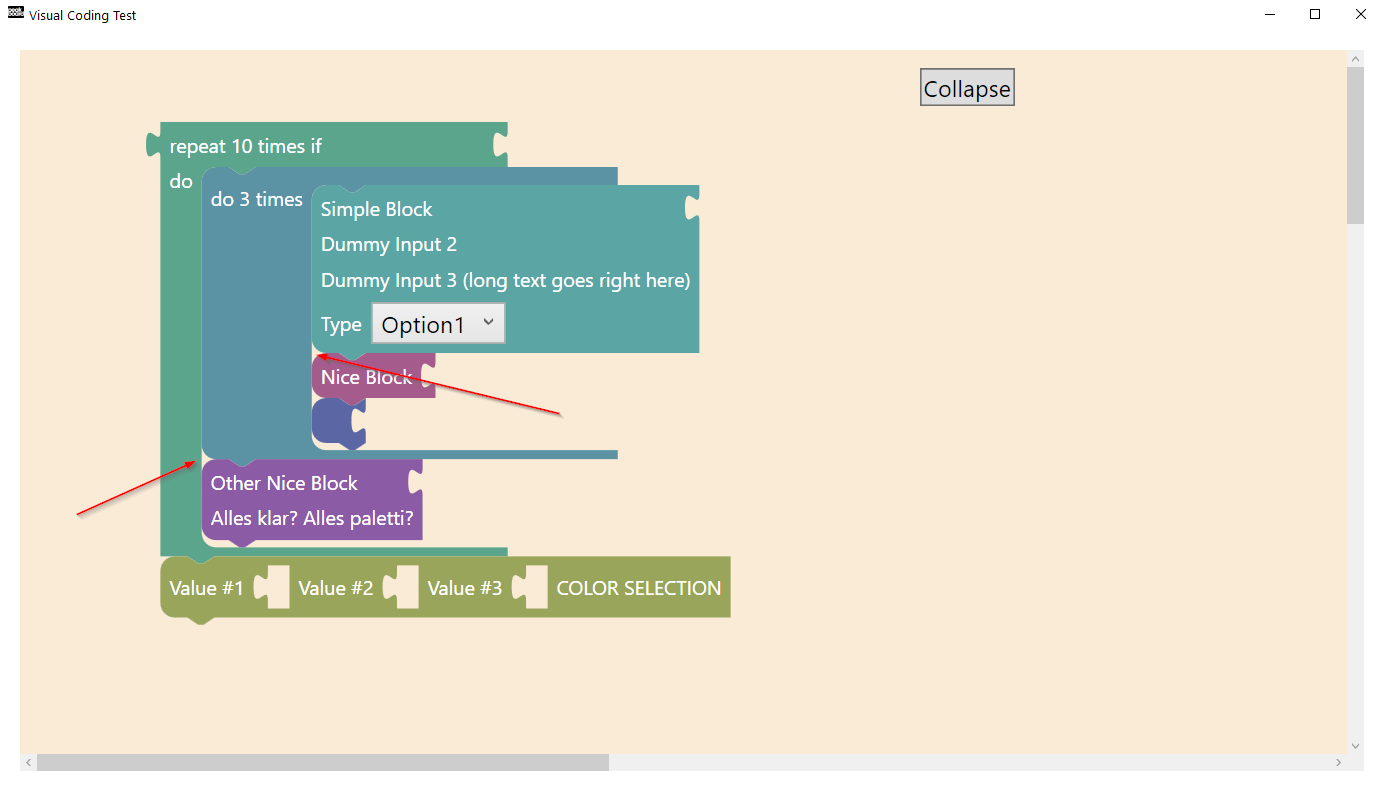
The first weeks were rendering work: how a block looks and where the puzzle connectors sit. A block with several sections also has to grow around its content. None of the blocks were real yet. The palette held placeholder blocks to test layout and color. The red arrows and the note “Alles klar? Alles paletti?” are my own remarks about spacing that was still off.
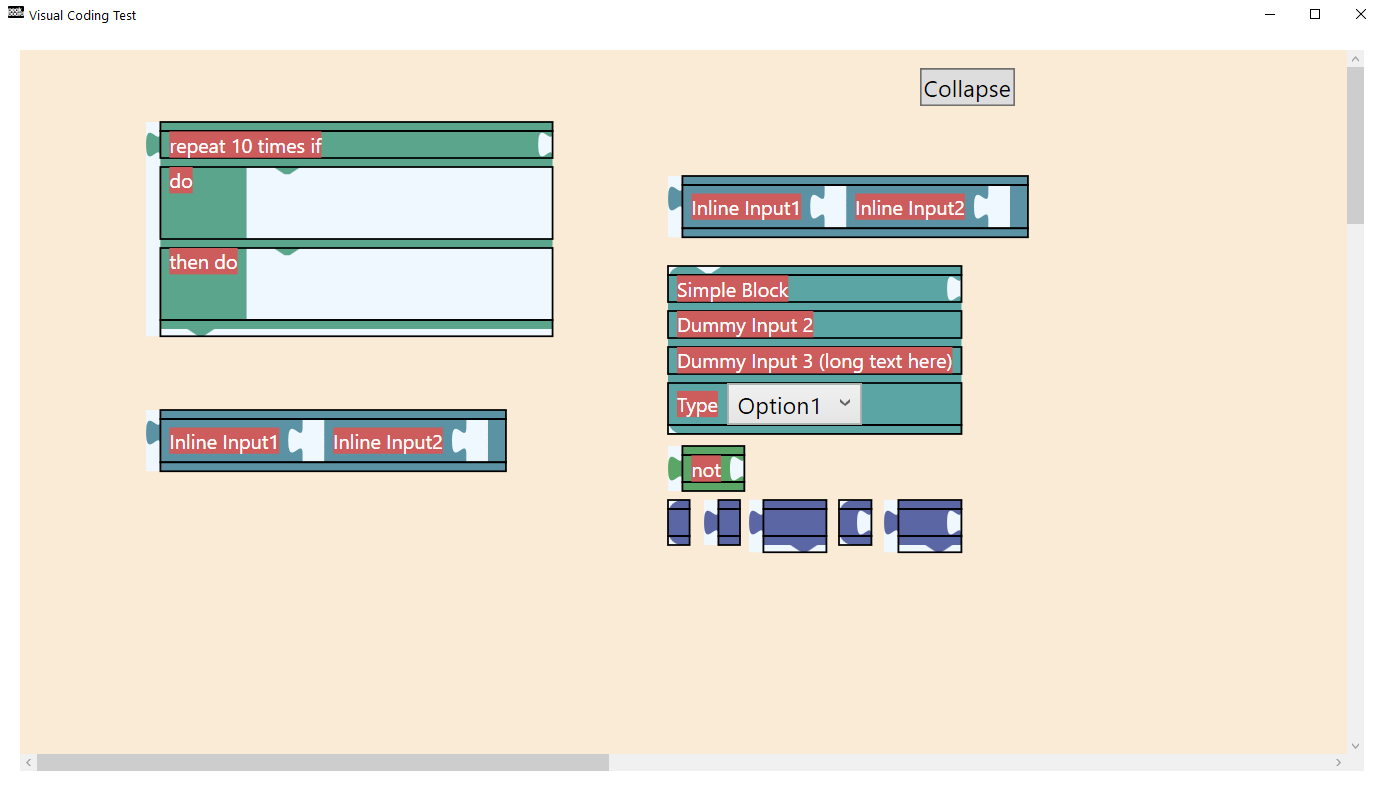
The next screenshot shows a loop block with its nested do and then do sections. A row of blocks next to it tests the inline input connectors. The outlines and the red label backgrounds are debug options of the test application.
Dragging needed its own round of work. A block has to follow the mouse and snap into the right slot. Before you drop it, it shows where it will land. I recorded many short clips of blocks sliding around to check whether an effect felt right.
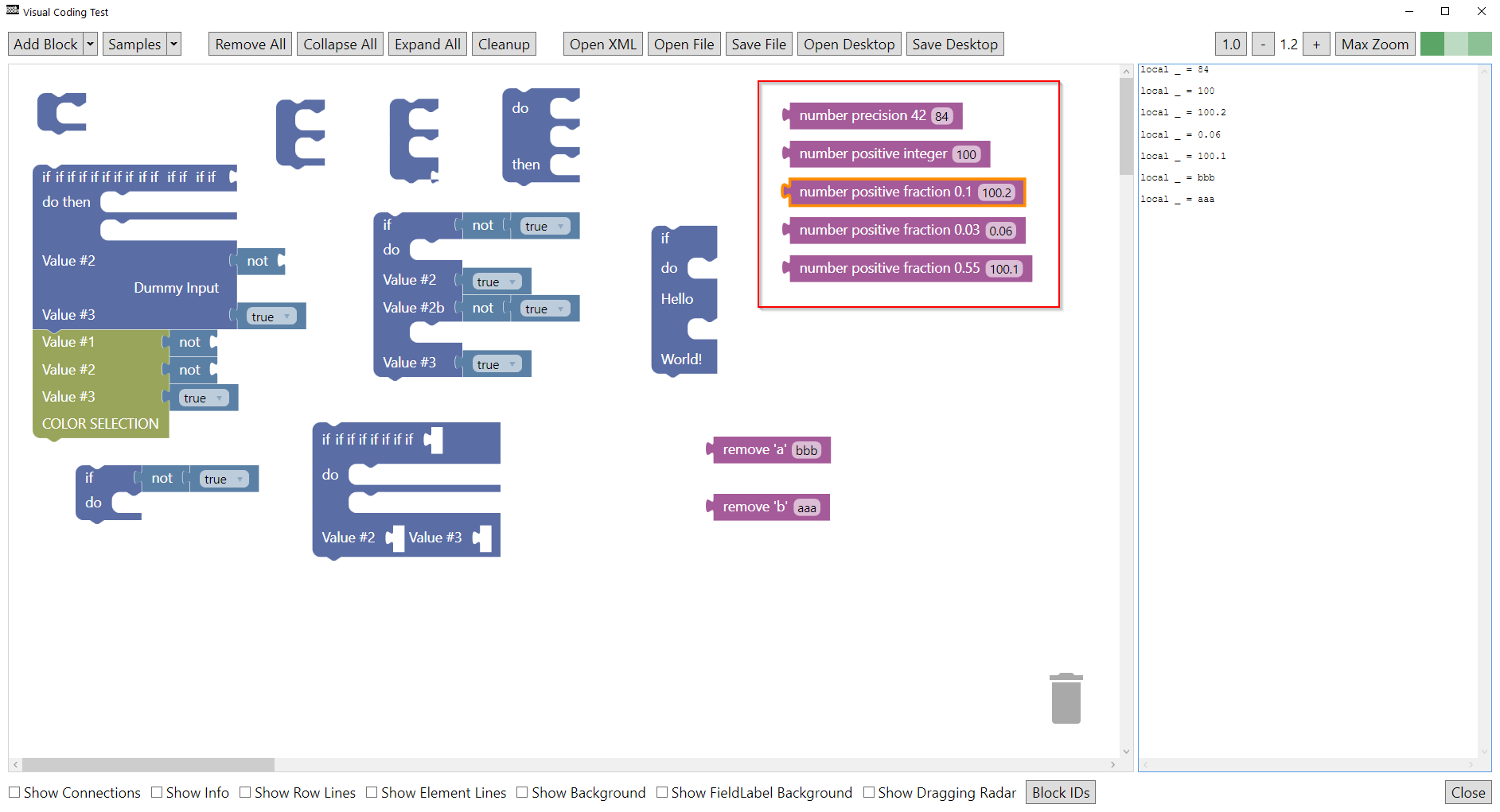
Typed fields came next, for instance a number field that only accepts digits. The screenshot below shows the later test application with its toolbar. The red box holds a group of number fields with different precision and range constraints. The pane on the right shows the Lua lines the blocks generate.
Important: nothing from this prototype shipped on its own. It was a testbed. It showed that WPF was fast enough. The same code then became the base for the block editor inside the Peakboard Designer.
That’s it.
If you have questions feel free to contact me.
Links:
Peakboard Designer →
Building blocks documentation →
Blockly →