In May 2025 I finished Flows for Peakboard. A flow is a trigger and an ordered list of steps. It reloads data sources in a fixed order and can run a function afterwards.
Before that, every data source had its own reload interval in seconds. That works if the sources are independent. A dataflow that joins two lists needs both lists loaded first. A nightly export must not start before its source has finished. A flow puts those steps in one place and in one order.
The screenshot below shows the Manage flows dialog in Peakboard Designer, opened from the Project menu. The flow is called ReloadSensors (1). Its trigger is Periodic (sec) with a value of 60 (2), and its one step is Reload for a data source called test (3). The palette on the right lists the triggers (4) and the steps (5).
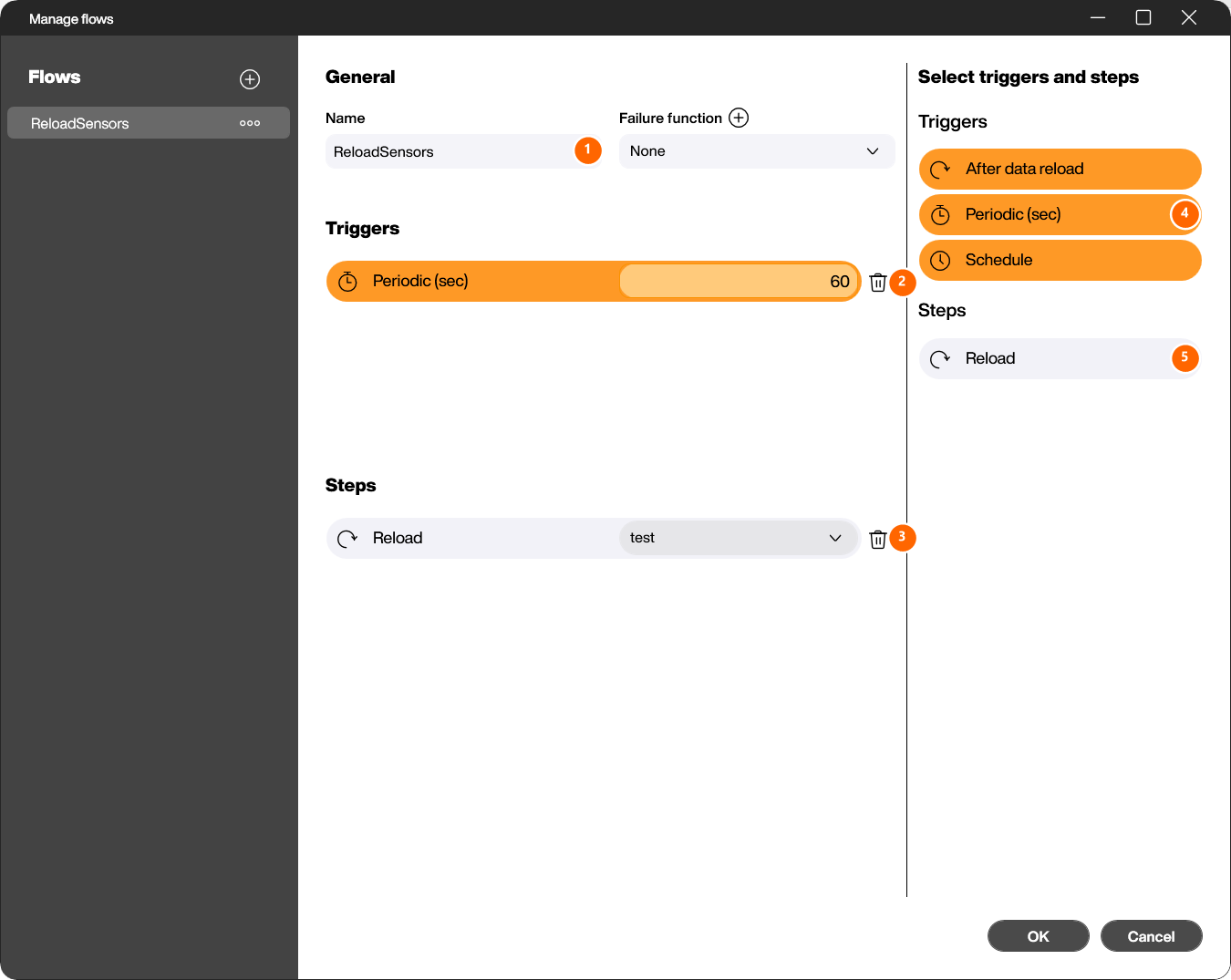
Four triggers exist. Periodic (sec) fires at a fixed interval in seconds. Schedule fires on selected weekdays at a set time. After data reload fires when a data source has finished reloading. After function execute fires when a function has finished. A flow can have several triggers.
Two kinds of steps exist. Reload reloads a data source or a dataflow. Run function runs a Lua function from the package explorer. The steps run in the order shown, and you can drag a step to a new position.
The next screenshot shows a flow with three triggers and two steps. After data reload is set to Data change for the list Products, so the flow starts only when a reload changed the data. Schedule carries a Set schedule button for the weekdays and the time. The Reload step for SportNews is followed by a Data change condition, so the function MyFUNC runs only when the reload changed the list. The Failure function field at the top names FlowFailureFunc. This function runs when a step fails.

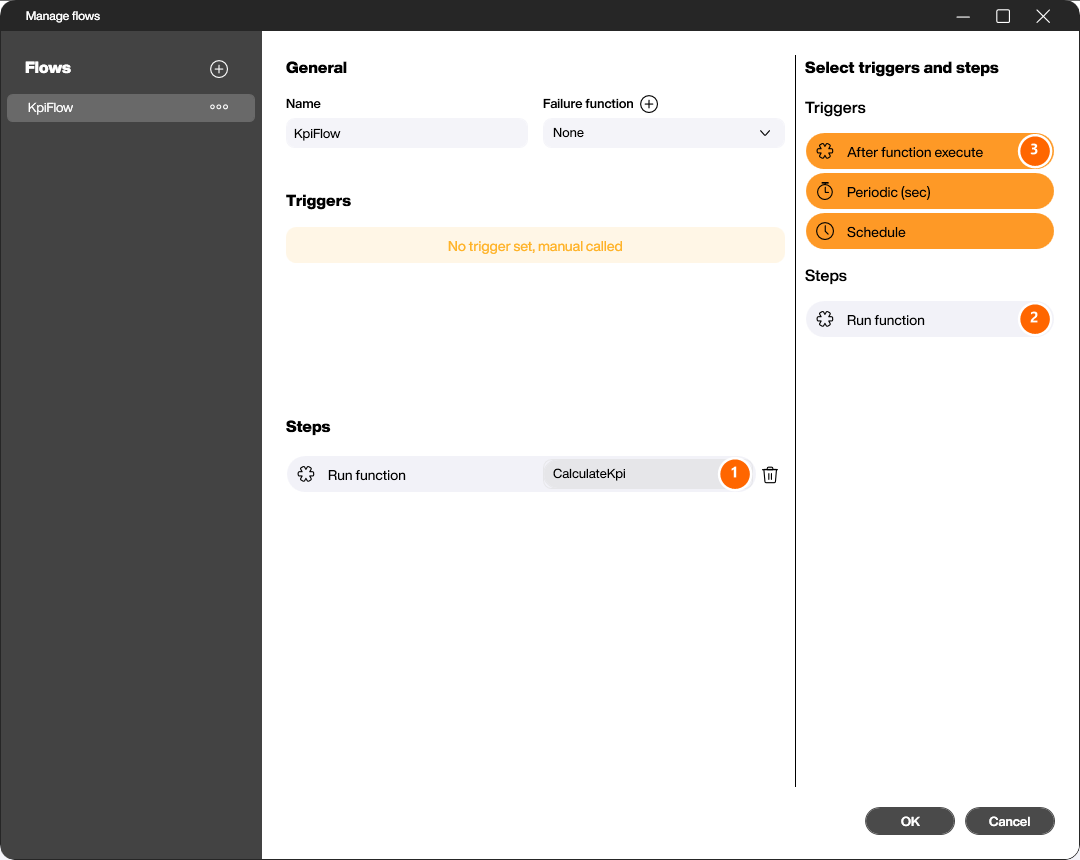
A flow without a trigger is allowed too. The next screenshot shows the flow KpiFlow with the single step Run function for CalculateKpi (1) and the note No trigger set, manual called. The palette shows the Run function step (2) and the After function execute trigger (3). A script starts such a flow with the run method of the flows object. That makes a flow callable from a button.
Hub Flows run a flow without a board. You create a flow project in Peakboard Designer and upload it to Peakboard Hub. It has data sources, dataflows, flows, variables and functions, and no screens. The Hub server runs it centrally, without a display device, so a nightly job exists once instead of on every device. Hub Flows are part of the On-Premise edition of Peakboard Hub.
That’s it.
If you have questions feel free to contact me.