By the summer of 2021 the Visual Coding prototype was solid enough to move it into the real Peakboard Designer. We renamed it to Building Blocks and gave it a proper home inside the Script Editor, as a second mode next to the plain Lua text editor.
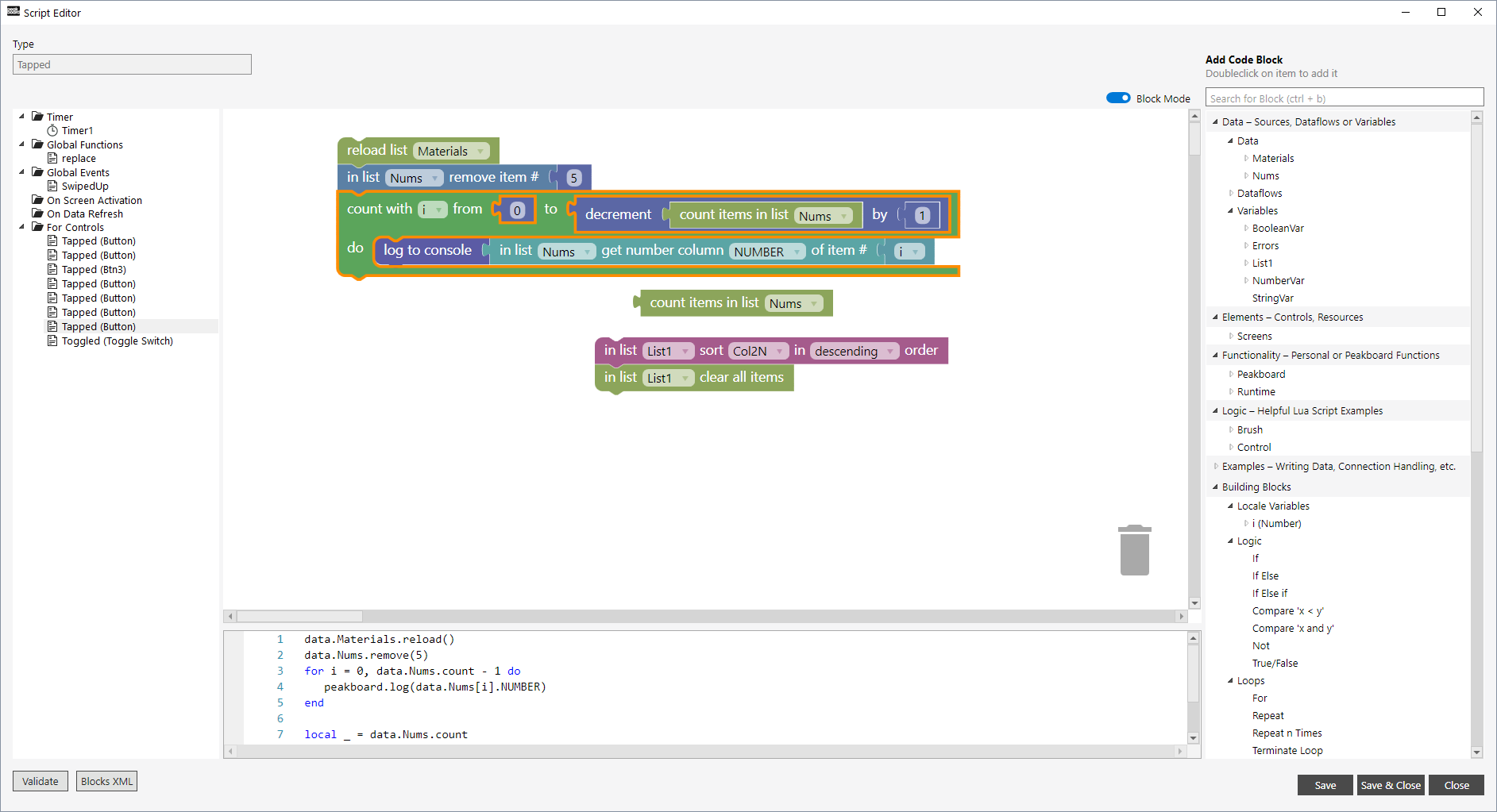
The screenshot below shows block mode running inside the Script Editor: the palette on the right, the blocks in the middle, and the Lua they generate underneath.
Moving into the Designer meant the blocks had to behave like a real feature, not a demo. The biggest part of that was type safety. Every value in a block carries a type, even though Lua itself does not care about types at runtime. When you try to connect a block that returns the wrong type, the connector shows a red mark and a tooltip listing the types it will accept instead. The next screenshot shows this on a block that creates a table.
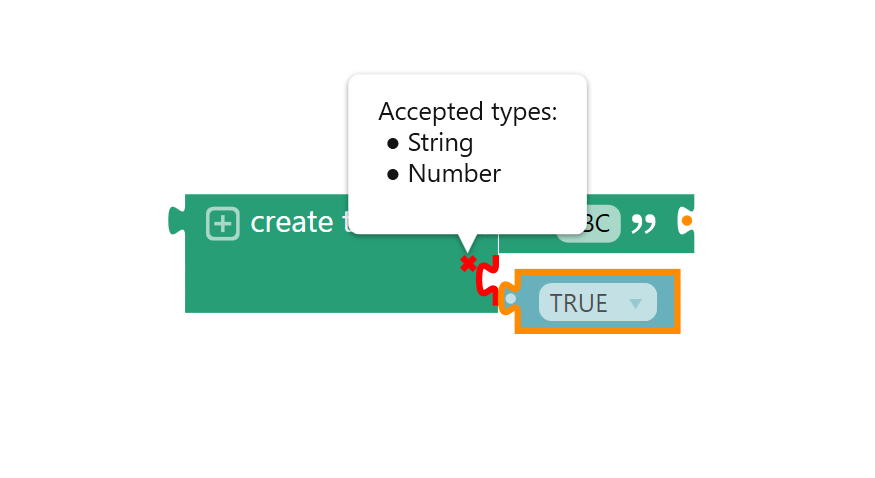
Important: type is a concept the editor tracks for you, not something Lua enforces at runtime. It exists to stop you connecting blocks that would fail once the script actually runs, not to restrict what Lua itself could do.
Two features from that autumn made the editor much faster to use. QuickAdd inserts the next block directly into the flow you are already in, without going back to the palette. QuickWrap takes a block you have already placed and wraps it inside a new one, so turning an existing statement into the body of an if block is one action instead of several. Both are still the two block-editor features I use the most myself.
By January 2022 the trash can had proper undo, variables could be renamed safely across a whole script, and the palette had grown its first real block families: SQL, MQTT, S7, Edge devices, Hub lists and mail.
That’s it.
If you have questions feel free to contact me.
Links:
Building blocks documentation →
Script editor documentation →
Peakboard Designer →